# Deploy a Go Webserver on Flakery
This guide will go over creating a go http server and serving it using flakery.
# Create a new directory and initialize a new flake
mkdir go-webserver
cd go-webserver
nix flake init -t github:getflakery/flakes#go-webserver
2
3
this will add the following files to your directory:
wrote: /home/alice/go-webserver/gomod2nix.toml
wrote: /home/alice/go-webserver/.envrc
wrote: /home/alice/go-webserver/default.nix
wrote: /home/alice/go-webserver/shell.nix
wrote: /home/alice/go-webserver/flakery.nix
wrote: /home/alice/go-webserver/flake.nix
wrote: /home/alice/go-webserver/.gitignore
wrote: /home/alice/go-webserver/main.go
wrote: /home/alice/go-webserver/go.mod
2
3
4
5
6
7
8
9
Lets take a moment to examine the files that were created and what they do.
# Project Structure
the
gomod2nix.tomlfile is used to convert the go.mod file to a nix expression. This converts the go dependencies to nix dependencies.the
.envrcfile is used to load the nix environment when using direnv. This is useful for setting up the environment for development.the
default.nixfile is used to build the go project. This file is used by theflake.nixfile to build the go project.the
shell.nixfile is used to create a nix shell for the go project. This file is used by theflake.nixfile to create a nix shell for the go project.the
flakery.nixfile is used to create a nixos module for the go project. This file is used by theflake.nixfile to create a nixos module for the go project.the
flake.nixfile is used to create a flake for the go project. This file is used by theflake.nixfile to create a flake for the go project.the
.gitignorefile is used to ignore files when using git. This file is used by theflake.nixfile to ignore files when using git.the
main.gofile is used to create the go webserver. This file is used by theflake.nixfile to create the go webserver.the
go.modfile is used to manage the go dependencies. This file is used by theflake.nixfile to manage the go dependencies.
# Examining Build Configuration
In the flake.nix file in the project root, the go project's derivation is built using the callPackage (opens new window) design pattern.
# flake.nix
{
  description = "A basic gomod2nix flake";

  inputs.nixpkgs.url = "github:NixOS/nixpkgs/nixos-unstable";
  inputs.flake-utils.url = "github:numtide/flake-utils";
  inputs.gomod2nix.url = "github:nix-community/gomod2nix";
  inputs.gomod2nix.inputs.nixpkgs.follows = "nixpkgs";
  inputs.gomod2nix.inputs.flake-utils.follows = "flake-utils";
  inputs.flakery.url = "github:getflakery/flakes";


  outputs = inputs@{ self, nixpkgs, flake-utils, gomod2nix, flakery }:
    (flake-utils.lib.eachDefaultSystem
      (system:
        let
          pkgs = nixpkgs.legacyPackages.${system};

          # The current default sdk for macOS fails to compile go projects, so we use a newer one for now.
          # This has no effect on other platforms.
          callPackage = pkgs.darwin.apple_sdk_11_0.callPackage or pkgs.callPackage;

          app = callPackage ./. {
            inherit (gomod2nix.legacyPackages.${system}) buildGoApplication;
          };
          appModule = (import ./flakery.nix) app;

        in
        {
          packages.default = app;
          devShells.default = callPackage ./shell.nix {
            inherit (gomod2nix.legacyPackages.${system}) mkGoEnv gomod2nix;
          };

          packages.nixosConfigurations.flakery = nixpkgs.lib.nixosSystem {
            system = system;
            modules = [
              flakery.nixosModules.flakery
              appModule
            ];
          };

        })
    );
}
2
3
4
5
6
7
8
9
10
11
12
13
14
15
16
17
18
19
20
21
22
23
24
25
26
27
28
29
30
31
32
33
34
35
36
37
38
39
40
41
42
43
44
this app derivation is then used in two places:
- passed int to the imported
flakery.nixfile to create a nixos module for the go project - used to create a default build target for this flake
# flake.nix
{
  description = "A basic gomod2nix flake";

  inputs.nixpkgs.url = "github:NixOS/nixpkgs/nixos-unstable";
  inputs.flake-utils.url = "github:numtide/flake-utils";
  inputs.gomod2nix.url = "github:nix-community/gomod2nix";
  inputs.gomod2nix.inputs.nixpkgs.follows = "nixpkgs";
  inputs.gomod2nix.inputs.flake-utils.follows = "flake-utils";
  inputs.flakery.url = "github:getflakery/flakes";


  outputs = inputs@{ self, nixpkgs, flake-utils, gomod2nix, flakery }:
    (flake-utils.lib.eachDefaultSystem
      (system:
        let
          pkgs = nixpkgs.legacyPackages.${system};

          # The current default sdk for macOS fails to compile go projects, so we use a newer one for now.
          # This has no effect on other platforms.
          callPackage = pkgs.darwin.apple_sdk_11_0.callPackage or pkgs.callPackage;

          app = callPackage ./. {
            inherit (gomod2nix.legacyPackages.${system}) buildGoApplication;
          };
          appModule = (import ./flakery.nix) app;
        in
        {
          packages.default = app;
          devShells.default = callPackage ./shell.nix {
            inherit (gomod2nix.legacyPackages.${system}) mkGoEnv gomod2nix;
          };

          packages.nixosConfigurations.flakery = nixpkgs.lib.nixosSystem {
            system = system;
            modules = [
              flakery.nixosModules.flakery
              appModule
            ];
          };

        })
    );
}
2
3
4
5
6
7
8
9
10
11
12
13
14
15
16
17
18
19
20
21
22
23
24
25
26
27
28
29
30
31
32
33
34
35
36
37
38
39
40
41
42
43
We can see the result of this default package defined on line 28 by running the command nix build in the project root. This will build the go project and create a result symlink in the project root.
nix build
run the result with the following command:
./result/bin/app
If we then examine the flakery.nix file, we can see that the app derivation is used to create a nixos module for the go project.
# flakery.nix
app:
{ config, lib, pkgs, ... }:
let
  flakeryDomain = builtins.readFile /metadata/flakery-domain;
in
{
  networking.firewall.allowedTCPPorts = [ 80 443 ];

  systemd.services.go-webserver = {
    description = "go webserver";
    after = [ "network.target" ];
    wantedBy = [ "multi-user.target" ];
    serviceConfig = {
      ExecStart = "${app}/bin/app";
      Restart = "always";
      KillMode = "process";
    };
  };

  services.caddy = {
    enable = true;
    virtualHosts."${flakeryDomain}".extraConfig = ''
      handle /* {
        reverse_proxy http://127.0.0.1:8080
      }
    '';
  };
}
2
3
4
5
6
7
8
9
10
11
12
13
14
15
16
17
18
19
20
21
22
23
24
25
26
27
28
This file defines a function that takes an arguement app and returns a nixos module. Passing the app into flakery.dev like this ensures that the same derivation (package) is used when building locally and deploying on flakery.
The NixOS module we have defined contains a systemd service definition, which will be activated on boot. The service starts our app binary defined in our derivation, and the caddy service serves a reverse proxy and SSL certificate for the flakery domain.
Looking back at our flake.nix we can see that the NixOS module defined by flakery.nix used in the definition of the flake level NixOS configuration, called flakery. We have also inclued the flakery nixos module flakery.nixosModules.flakery to include the necessary boilerplate to configure NixOS to work on flakery.
# flake.nix
{
  description = "A basic gomod2nix flake";

  inputs.nixpkgs.url = "github:NixOS/nixpkgs/nixos-unstable";
  inputs.flake-utils.url = "github:numtide/flake-utils";
  inputs.gomod2nix.url = "github:nix-community/gomod2nix";
  inputs.gomod2nix.inputs.nixpkgs.follows = "nixpkgs";
  inputs.gomod2nix.inputs.flake-utils.follows = "flake-utils";
  inputs.flakery.url = "github:getflakery/flakes";


  outputs = inputs@{ self, nixpkgs, flake-utils, gomod2nix, flakery }:
    (flake-utils.lib.eachDefaultSystem
      (system:
        let
          pkgs = nixpkgs.legacyPackages.${system};

          # The current default sdk for macOS fails to compile go projects, so we use a newer one for now.
          # This has no effect on other platforms.
          callPackage = pkgs.darwin.apple_sdk_11_0.callPackage or pkgs.callPackage;

          app = callPackage ./. {
            inherit (gomod2nix.legacyPackages.${system}) buildGoApplication;
          };
          appModule = (import ./flakery.nix) app;
        in
        {
          packages.default = app;
          devShells.default = callPackage ./shell.nix {
            inherit (gomod2nix.legacyPackages.${system}) mkGoEnv gomod2nix;
          };

          packages.nixosConfigurations.flakery = nixpkgs.lib.nixosSystem {
            system = system;
            modules = [
              flakery.nixosModules.flakery
              appModule
            ];
          };

        })
    );
}
2
3
4
5
6
7
8
9
10
11
12
13
14
15
16
17
18
19
20
21
22
23
24
25
26
27
28
29
30
31
32
33
34
35
36
37
38
39
40
41
42
43
Great! so in this project we have:
- a go http server that we can build using nix
- a nix flake that defines a NixOS configuration that runs that http server
Now all thats left is creating a git repository and deploying it on Flakery.
# Create a git repository and push your flake
Initialize a git repository and create an initial commit.
git init
git add .
git commit -m "initial commit"
2
3
Create a new repository on GitHub (opens new window) and push your flake to the repository.
git branch -M main
git remote add origin git@github.com:$YOUR_USERNAME/go-webserver.git
git push -u origin main
2
3
TIP
Replace $YOUR_USERNAME with your Github username.
Now that you have created a flake and pushed it to a git repository, you can deploy it on Flakery.
# Deploy your NixOS Configuration on Flakery
# Create a Deployment Template
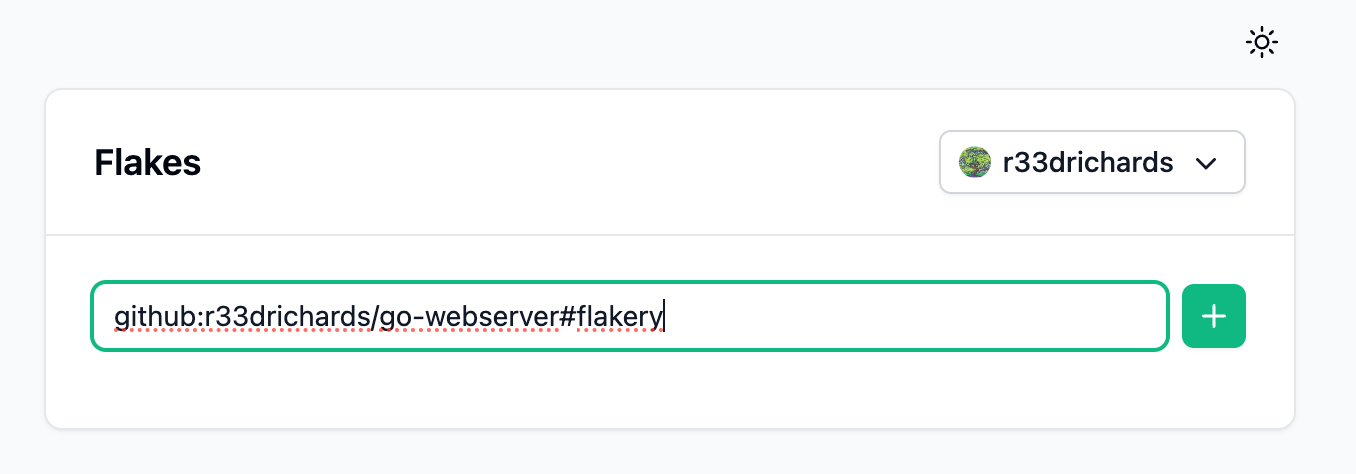
To deploy a NixOS configuration on Flakery, you need to create a deployment template. You can do this by visiting the Flakery website (opens new window) and adding your flake to the input field. the url should look something like this: github:$YOUR_USERNAME/go-webserver#flakery.
TIP
Replace $YOUR_USERNAME with your Github username.
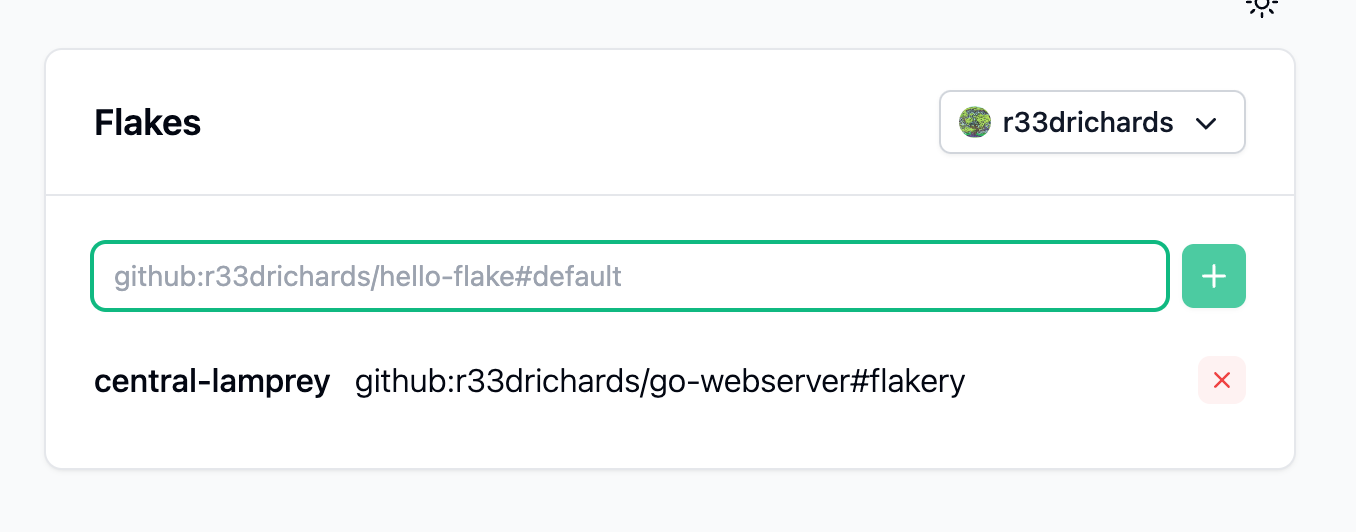
You should see your newly created deployment template below.
# Deploy your NixOS Configuration
Click on the deployment template to view its details page.
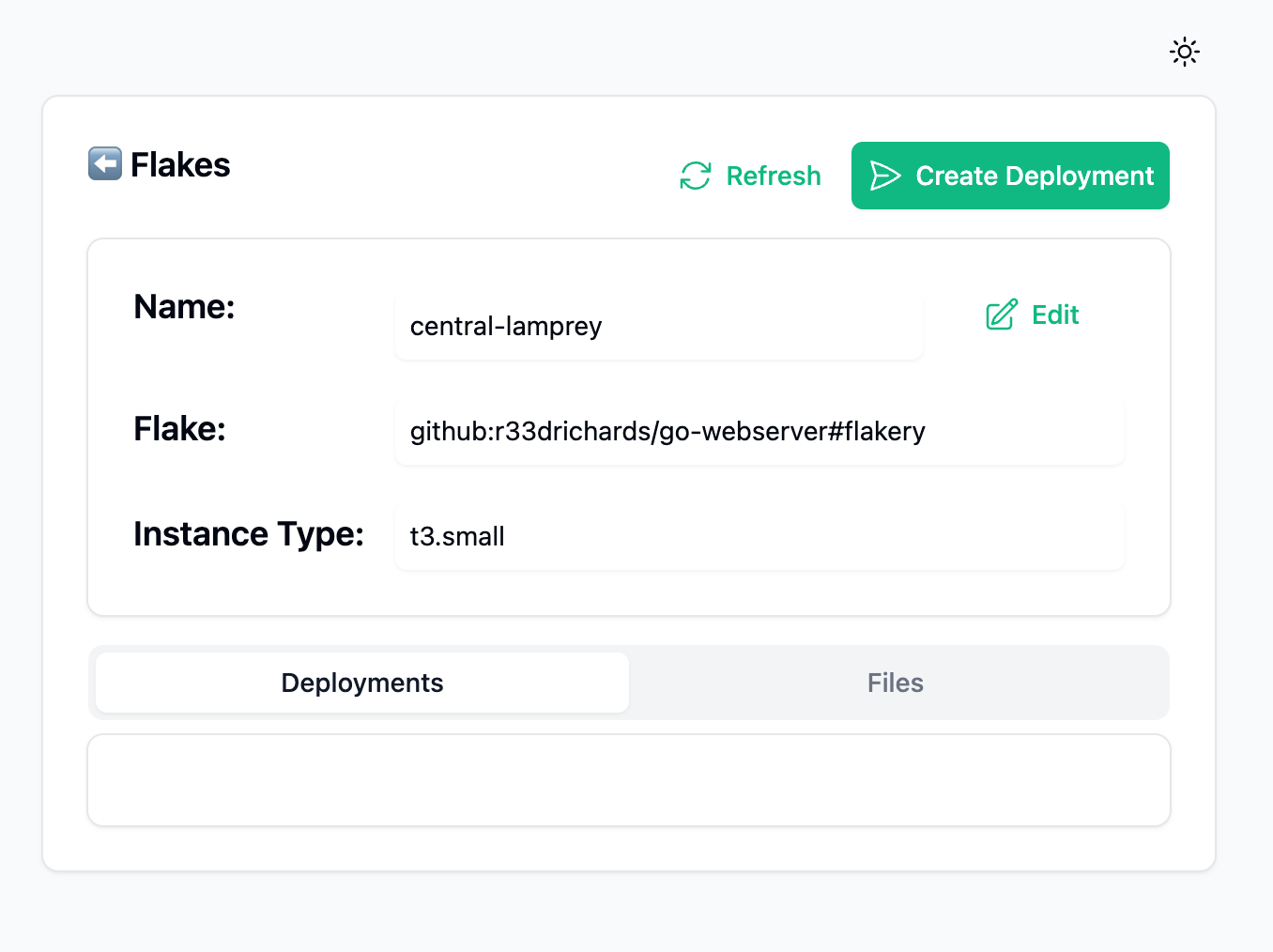
Click on the Create Deployment in the upper right hand corner of the screen to create a deployment of your nix flake. You should then see a deployment created at the bottom of your screen.
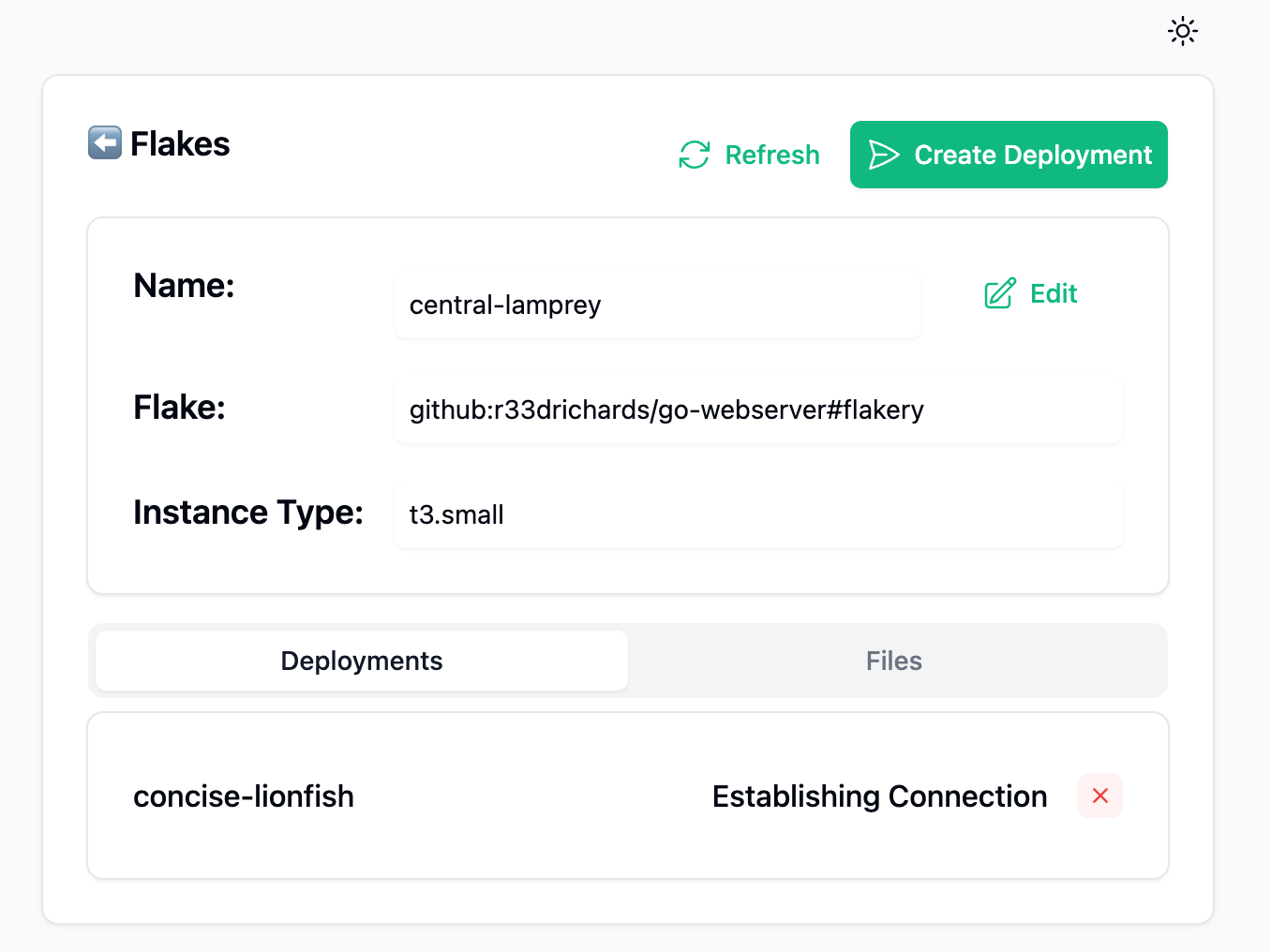
Click on the the deployment to view its details
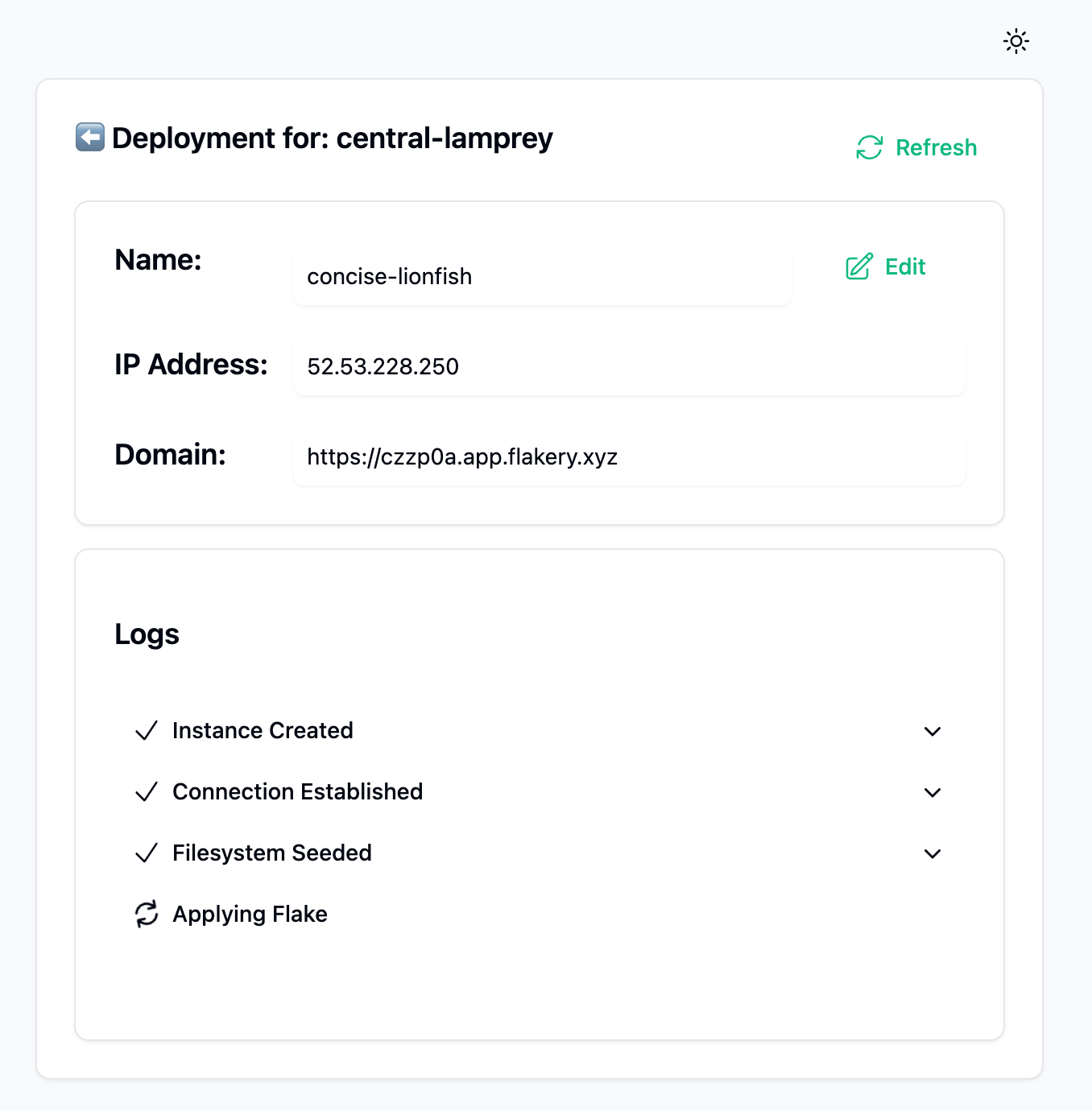
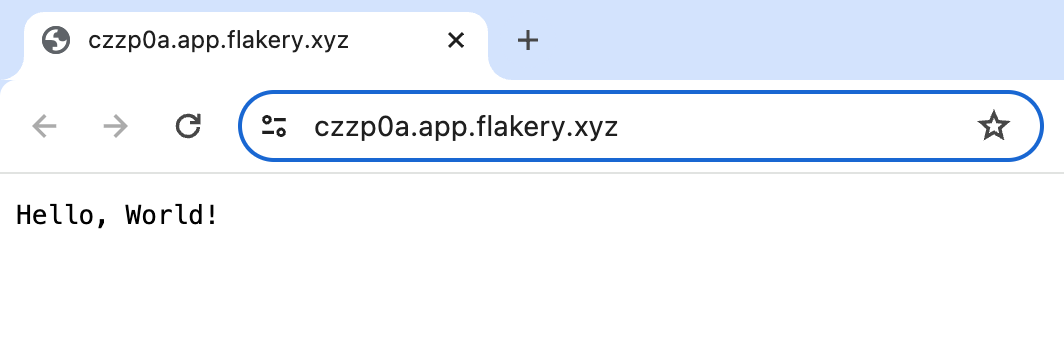
after a few minutes, when the flake is finished applying, you can navigate to the domain linked in the deployment details page to view your Hello World web server's response.